Stop Replacing People, Start Multiplying Them: The Complete AI Augmentation Playbook for SMBs
TL;DR
- The multiplication question: Instead of "Which roles can AI replace?" ask "What if I could multiply my best people—let them do more, more often, for more clients?"
- The three traps: Add-on purgatory (weak tools that don't change outcomes), shadow AI chaos (ungoverned staff usage), and the Dilbert cycle (AI expands → AI compresses → nothing improves).
- The full playbook: Centralize AI, appoint a human AI Bridge, hunt at system edges, build learning flywheels, add voice-accelerated workflows, measure what multiplies, and maintain hygiene without bureaucracy.
Part I: The Replacement Trap
The Math That Doesn't Work
Walk into any SMB leadership meeting these days and someone will eventually say: "We need to cut costs with AI. Which roles can we automate away?"
It sounds pragmatic. It sounds like strategy.
But for small and medium businesses, it's the wrong question—and it fails on contact with reality.
Here's why: You can't replace your one salesperson. You can't eliminate your operations manager. You can't automate away your customer success lead. Your team already wears multiple hats. There's no redundancy to cut. Everyone is already essential.
So the replacement narrative—the one dominating the press and the vendor pitches—doesn't fit your business model. It was written for enterprises with 5,000 people and 12 layers of management. Not for a 15-person company where everyone is load-bearing.
Here's the better question, the one that actually unlocks value:
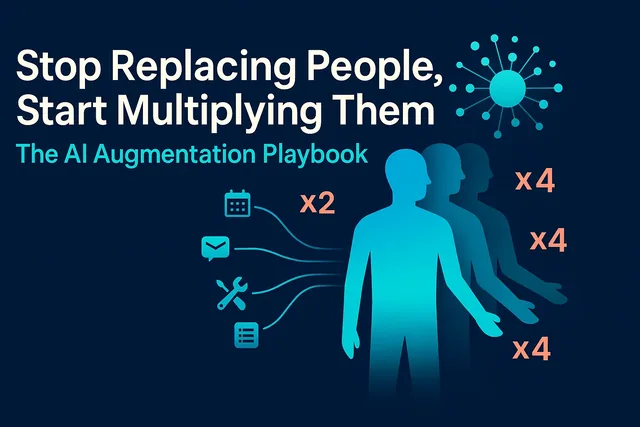
"What if I could multiply my best people? Let them handle 2X the pipeline, run 3X the initiatives, serve 4X the customers—with higher quality, not longer hours?"
That's not science fiction. That's augmentation. And it's where SMBs have a genuine, structural advantage over large competitors.
What Multiplication Actually Looks Like
Imagine your star salesperson. They're managing 30 active deals, closing 6 a quarter. Good performance.
Now imagine they're managing 50 active deals and closing 10 a quarter—in the same hours. Not because they're working weekends. Because the system handles follow-ups, drafts emails, updates the CRM, and surfaces exactly who to call next.
Or imagine your operations manager. They're running two projects simultaneously, tracking timelines in spreadsheets, chasing updates in Slack.
Now imagine they're running five projects, with live status summaries generated from your actual data, risk flags surfaced automatically, and trade-off options drafted for review. They're spending their time deciding, not gathering.
Or imagine your HR lead. They're handling 40 staff queries a month, hunting through policy docs, writing the same answers over and over.
Now imagine they're handling 120 queries a month, with AI finding the right policy instantly, counseling staff through edge cases, pre-filling forms, and creating cases. They're spending their time on judgment calls, not data entry.
That's multiplication. Same people. More capacity. Better outcomes. No burnout.
Part II: The Three Traps SMBs Are Falling Into
Before we get to what works, let's name what doesn't—because most SMBs are already making these mistakes, often without realizing it.
Trap 1: Add-On Purgatory
You've got Microsoft Teams. Or Zoom. Or Slack. The sales rep calls and says: "We've added AI! It transcribes your meetings, pulls out action items, and summarizes key points. Just $15 per user per month."
Sounds useful. You approve it.
Six months later: what actually changed?
- Your meetings aren't shorter
- Decisions aren't faster
- Nobody's workload got lighter
- You're spending $200/month
- Worse: personal staff chats are now mixed into corporate transcripts (hello, HR risk)
The problem isn't that the tool is broken. It's that transcription isn't the bottleneck. Your bottleneck is unclear ownership, slow decision-making, or poor follow-through. The add-on doesn't touch any of that.
This is add-on purgatory—spending money on "AI features" that don't change outcomes. Worse, these purchases consume budget and leadership attention that could go toward projects that actually multiply capacity.
Trap 2: Shadow AI Chaos
Your team is already using AI. They're just not telling you.
They're pasting customer emails into free ChatGPT to draft replies. They're uploading financial data to get summaries. They're using it to write proposals, job descriptions, and performance reviews.
You know this is happening because their output suddenly looks different. The person who used to write two-sentence emails now sends polished two-page briefs. The manager who struggled with documentation now produces strategy memos.
The problem isn't that they're using AI. The problem is they're using it badly, unsafely, and inconsistently:
- No training: They don't know how to write good prompts, verify outputs, or recognize biases
- No governance: Sensitive customer data, financials, and employee information are going into public models
- No quality control: They're accepting the first answer without verification or critical review
- No learning: Each person is reinventing the wheel; nobody's sharing what works
This is shadow AI chaos. It's not malicious. It's inevitable. Your people want to be more productive, and AI helps. But without structure, you're accepting all the risk and capturing none of the compounding value.
Trap 3: The Dilbert Cycle
Here's a pattern I see constantly:
- Staff member has three bullet points to communicate
- They use AI to expand it into a formal two-page email (because they think that's what management wants)
- Manager receives the email
- Manager uses AI to compress it back into three bullet points (because they don't have time to read two pages)
Net result: nothing improved. No decisions got faster. No customers got better service. You've just added latency, token costs, and theater.
This is the Dilbert cycle, and it's a symptom of a deeper problem: nobody's asking what job AI should actually be doing. Instead, they're bolting AI onto broken workflows and calling it innovation.
Part III: The Augmentation Mindset
The Progression That Actually Works
When you implement AI augmentation correctly—centralized, trained, governed, and measured—you see a consistent progression over 3–6 months:
Month 1: Better Communication
- Emails are clearer, more concise, better structured
- Proposals are more persuasive
- Meeting notes are more actionable
Month 2: Better Documentation
- Process docs are comprehensive and easy to follow
- Decision memos explain why, not just what
- Knowledge capture becomes a habit, not a chore
Month 3: Better Strategic Thinking
- Meeting contributions are more prepared, more insightful
- People are connecting dots across departments
- They're proposing solutions, not just surfacing problems
Month 4–6: Better Operational Execution
- They're solving problems you didn't know existed
- Cycle times are shorter (idea → plan → execution → result)
- Quality is higher (fewer errors, better customer outcomes)
- Capacity is multiplied (they're handling 2X, 3X, even 5X the volume)
This isn't hype. This is the documented pattern when you combine three things: daily AI interaction, quality inputs, and a learning culture.
AI as "External Brain"
The breakthrough mental model is this: AI isn't a worker you're managing. It's an extension of your team's cognitive capacity.
Think of it like this:
- You have a thought or idea
- You explore it with AI—not as a Q&A session, but as a thinking partner
- AI helps you structure it, challenge it, expand it, find gaps, test assumptions
- You refine the idea based on that interaction
- You turn it into action—a plan, a proposal, a process, a product
Your people don't just get answers. They get thinking leverage. And thinking leverage compounds.
Part IV: The Complete Playbook
Step 1: Stop the Shadow AI Problem
Don't ban AI usage. Centralize it.
Set up a Company AI Gateway—a single entry point with:
- Authentication: Staff log in with company credentials
- Logging: Every query is logged (with PII redacted) for audit and learning
- Redaction: Sensitive data (customer names, financials, employee details) is automatically masked before hitting the model
- Spend caps: Per-user monthly limits to prevent runaway costs
- Usage monitoring: You can see what's working and what's wasting time
Tools: Microsoft Presidio for PII redaction, Langfuse or Arize Phoenix for observability and tracing.
Policy (one-page, plain English):
- Work queries: Use the company AI gateway. It's monitored, safe, and faster.
- Personal queries: Use your own account. Keep it separate.
- Training: Everyone gets a 60-minute onboarding: how to write prompts, verify outputs, recognize biases, and escalate edge cases.
This solves three problems at once:
- Staff stop pasting sensitive data into public tools
- You can train people on responsible AI use, not just any use
- You get visibility into what's generating value and what's noise
Step 2: Appoint an AI Bridge
This is a person, not software. A senior hybrid role that lives between business and technology.
Their job is a two-way street:
Business → Tech:
- Translate fuzzy goals ("we need to be faster") into testable projects with clear value, feasibility, and risk assessments
- Define constraints: privacy, approvals, budgets, reversibility
- Pick the first thin slice to pilot (2 weeks, 3–10 users, one measurable outcome)
Tech → Business:
- Coach leaders on what AI can do now, what's risky, and what's just vendor noise
- Bring real options and trade-offs, not feature catalogs
- Demonstrate value with working prototypes, not slide decks
Governance-in-motion:
- Maintain the ROI scoreboard (not a slide deck)
- Track minutes saved, tasks completed, error rates, adoption, and cost per task
- If a project doesn't move the needle in two weeks, kill it and document the lessons
- Ensure observability, PII protection, and decision memos are baked into every pilot
- Maintain an "off switch" for anything with teeth
Who should this be?
Someone technical who understands the business, or someone from the business who's curious about technology. The key skill is translation—the ability to turn "we need better reporting" into "let's automate the daily data pull, add anomaly detection, and surface insights in a morning briefing."
Step 3: Hunt at the Edges (Interface-at-the-Edges)
Don't rip out your core systems (CRM, ERP, HR platform). Instead, improve where humans touch them.
This is the Interface-at-the-Edges pattern, and it's where SMBs get the fastest ROI with the lowest risk.
The pattern is simple:
Intake → Extract → Validate → Propose → Approve → Post
Let's walk through three detailed examples.
Example 1: HR & Leave Requests
Today's workflow:
- Staff member emails HR: "My uncle just died. Am I allowed bereavement leave?"
- HR person searches policy docs (keyword search for "bereavement")
- "Uncle" doesn't appear in the policy, so search misses nuance
- HR person reads three documents manually, finds the right section
- Replies via email with a PDF attachment
- Staff member fills out paper form or hunts for the right internal link
- Emails form back to HR
- HR person manually creates case in HR system
Time: 15–20 minutes for HR, plus staff time
New workflow with Interface-at-the-Edges:
- Intake: Staff member types question into company AI chat interface
- Extract: AI uses semantic search (RAG) over policy docs; finds bereavement policy even though "uncle" isn't a keyword
- Validate: AI checks eligibility criteria based on relationship and circumstances
- Propose: AI counsels staff through options: "Based on your description, you may qualify for compassionate leave. Here's what you need to provide…"
- Approve (human gate): AI pre-fills the leave form; staff reviews and submits
- Post: Case is auto-created in HR system; chat transcript is attached for context
Time: 90 seconds for staff, 30 seconds for HR to review and approve
Result: Your HR manager now handles 3X the case volume with better outcomes. Staff get answers in seconds, not hours. Edge cases are documented automatically. That's multiplication.
Example 2: Sales Pipeline & Follow-Ups
Today's workflow:
- Salesperson opens CRM
- Scrolls through 30+ active deals
- Tries to remember who they talked to last week
- Opens 5–6 records to check notes
- Decides who to call
- Drafts follow-up email from scratch
- Sends email
- Goes back to CRM to log the activity
- Updates deal stage manually
Time: 45–60 minutes every morning just to get organized
New workflow with Interface-at-the-Edges:
- Intake: AI pulls pipeline data, call notes, email threads overnight
- Extract: AI identifies the three customers who need contact today based on last touchpoint, deal stage, and sentiment
- Validate: AI checks against business rules (don't contact on weekends, respect time zones)
- Propose: AI drafts a personalized email for each customer, with context from previous conversations
- Approve (human gate): Salesperson opens morning briefing, reviews three emails, edits if needed, clicks send
- Post: CRM auto-updates with sent email, next action scheduled, deal stage refreshed
Time: 10 minutes to review and send; 5–10 minutes saved per follow-up
Result: Your salesperson spends their time selling, not hunting for records or drafting boilerplate. They handle 2X the pipeline in the same hours and close more deals because they're always on time and always contextual.
Example 3: Operations & Purchase Orders
Today's workflow:
- Customer sends PO via email on their own letterhead
- Ops manager opens email, downloads PDF
- Manually reads and extracts: customer name, items, quantities, delivery date, pricing
- Opens ERP system
- Searches for customer record (sometimes misspelled, sometimes new)
- Enters line items one by one
- Cross-checks inventory and pricing
- Submits order
- Manually emails confirmation back to customer
Time: 12–15 minutes per PO; error-prone (typos, wrong quantities)
New workflow with Interface-at-the-Edges:
- Intake: Email arrives with PO attached
- Extract: AI pulls customer name, items, quantities, delivery date using OCR and NLP
- Validate: AI checks against inventory (in stock?), pricing rules (correct price tier?), and customer record (existing customer or new?)
- Propose: AI pre-fills the order entry screen in ERP; flags any anomalies ("Quantity requested is 3X their normal order—review?")
- Approve (human gate): Ops manager reviews pre-filled screen, confirms, clicks submit
- Post: Order is live in ERP; customer gets auto-confirmation with order number and estimated delivery
Time: 90 seconds to review and confirm
Result: Your ops manager processes 10X the volume with zero transcription errors. They spend their time on exceptions and judgment calls, not data entry. That's multiplication.
Step 4: Build the Learning Flywheel
Multiplication doesn't happen overnight. It compounds through a learning flywheel.
Encourage your team to spend 30 minutes to 2 hours a day with a paid AI model (not free ChatGPT—privacy matters, and quality matters more). Use it for real work: drafting emails, researching solutions, structuring proposals, planning projects, debugging problems.
Here's what happens over time:
Phase 1: Absorption (Weeks 1–4)
- They read high-quality AI outputs
- They absorb better vocabulary, structure, reasoning patterns
- Their own writing and thinking start to improve
Phase 2: Critique (Weeks 5–8)
- They stop accepting the first answer
- They ask follow-up questions: "What are the counterarguments?" "What would change your mind?" "What's the evidence?"
- They learn to recognize when AI is overconfident or biased
Phase 3: Mastery (Weeks 9–16)
- They become better prompters—they give context, specify constraints, define success criteria
- The AI gives better answers because the inputs are better
- They understand AI's biases (it's over-agreeable; it will argue your side unless you explicitly ask for the opposite)
- They learn to ask neutral questions and even prompt for the opposing view first
Phase 4: Compounding (Month 4+)
- Better inputs → better outputs → better thinking → better inputs
- This is the escalating learning loop
- Each person is now operating at a higher cognitive level
- That's how you multiply impact
Practical tips to accelerate the flywheel:
- Pair prompts: Have team members share "before" and "after" prompts in a Slack channel—what worked, what didn't
- Weekly prompt clinic: 15-minute session where someone shares a tricky problem and the group workshops the prompt together
- Bias training: Show real examples of over-agreeable AI responses; teach how to ask for steel-man arguments
- Quality rubric: Establish simple criteria—Does the output have evidence? Does it address counterarguments? Is it actionable?
Step 5: Add the Voice Multiplier (Optional but Powerful)
Most SMB leaders spend time commuting, walking, or doing routine tasks. That's dead time—unless you turn it into thinking time.
The voice-accelerated workflow:
- Riff: Record your thoughts vocally for 5–12 minutes (no editing, just flow)
- Transcribe: Use tools like ChatGPT Record (Mac) or SuperWhisper to auto-transcribe
- Distill: Feed the transcript to a top AI model; ask for a 5–9 point outline plus contradictions and open questions
- Interrogate: Force the model to argue the opposite and list failure cases
- Synthesize: Turn the outline into a memo, email, plan, or—here's the magic—a 20–30 minute podcast using NotebookLLM
- Listen back: Play the audio while commuting or exercising; hear your own ideas in a different voice, which exposes gaps and sharpens thinking
Why this works:
- Speech is faster than typing: You get more semantic mass per minute
- Flow over friction: No keyboard, no interruptions, just ideas
- Cognitive mirror: Hearing your ideas in a different form reveals sloppy leaps and missing pieces
Pro tip: Dual-record important riffs. Use ChatGPT Record + your phone's voice memo app. If one fails (ChatGPT occasionally drops recordings), you still have the backup. This matters when you've just articulated a breakthrough and can't recreate it.
Commuter-proof routines:
- Car (interactive): Riff on the way to work → auto-transcribe → AI distills during the day → TTS listen-back on the way home
- Public transport (one-way): Riff the night before → compile into a 20–30 min podcast with chapters (NotebookLLM) → listen on the train with AirPods
Result: Your commute becomes a thinking accelerator. You're multiplying your strategic capacity, not just your task capacity.
Step 6: Measure What Actually Multiplies
Forget vanity metrics. Track what proves multiplication:
| Metric | What It Proves | Target |
|---|---|---|
| Minutes saved per person per day | Time freed up for high-value work | 30–60 min/day within 4 weeks |
| Tasks completed per week | Capacity increase (the multiplication proof) | +30% within 8 weeks |
| Error rate vs. baseline | Quality didn't drop (ideally improved) | Equal or better |
| Adoption rate | Team is actually using it | 70%+ weekly active users |
| Fallback-to-human rate | System is handling routine well | <10% for simple tasks |
| Cost per task | ROI is positive and sustainable | Payback in <8 weeks |
Kill criteria:
If a project doesn't move one of these numbers by 15–20% within two weeks, kill it. Document what you learned. Move on.
No sunk-cost fallacy. No "let's give it another month." Speed and ruthlessness are your SMB advantage.
Step 7: The Non-Negotiable Hygiene Layer
Even in a 10-person company, you need minimum viable safety. This isn't bureaucracy. It's the difference between "AI saved us 20 hours a week" and "AI just emailed our entire customer list with the wrong pricing."
The five guardrails:
- PII redaction before model calls
- Tool: Microsoft Presidio (open-source, runs locally)
- Strips names, emails, phone numbers, credit cards before tokens leave the house
- Observability and tracing
- Tools: Langfuse or Arize Phoenix (both open-source, SMB-friendly)
- Log every prompt, output, tool call, and token cost
- You can see why the AI made a decision, not just that it did
- Decision memos for significant actions
- Format: Inputs → Summary of reasoning → Outputs → Human approval timestamp
- Attach to every action that affects money, customers, or compliance
- Kill switch for every agent
- Literal "off" button visible to humans
- If something goes wrong, you can stop it in 10 seconds
- Human approval on irreversible actions
- Sending money, signing contracts, deleting records, emailing customers
- AI can propose and draft, but a human clicks "confirm"
Cost: Mostly free (open-source tools) to $200/month for a 15-person team. Build time: 1–2 weeks to wire it into your gateway.
Part V: Why SMBs Win
The Structural Advantage
Large companies have bigger AI budgets. They're licensing enterprise deals with OpenAI, Google, and Microsoft. They're hiring AI teams.
And yet, they're going to lose to you.
Here's why:
Large companies have friction layers that AI can't fix:
- Meeting culture: Every decision requires 3 meetings and 12 people. AI might make the pre-read faster, but it doesn't change the fact that 12 people need to align.
- Approval chains: A great idea still needs VP sign-off, legal review, security review, budget approval. AI doesn't shortcut politics.
- Legacy systems: Their core systems are 15 years old, poorly documented, and politically untouchable. Integration is a 9-month project, minimum.
- Risk aversion: One mistake with AI makes the press. So they slow-walk everything, pilot forever, and never scale.
SMBs have the opposite dynamics:
- Fewer layers: Idea to execution in days, not quarters
- Closer to customers: You see problems and opportunities in real-time, not in quarterly reports
- Fewer approval gates: The person with the problem often has the authority to fix it
- Tolerable risk appetite: You can pilot, fail fast, and iterate without a PR crisis
AI doesn't just help you—it amplifies your existing structural advantages.
Your 5-person team with AI can out-execute a 50-person team bogged down in process. That's not hype. That's the documented pattern across industries.
Part VI: The Portfolio Approach (Not Add-On Sprawl)
Don't buy tools randomly. Build a portfolio with four tiers:
Tier 1: Hygiene (Must-Haves)
- PII redaction
- Observability and logging
- Cost guardrails and spend caps
- Saved prompts and evaluations
Why: These are the foundation. Without them, you're flying blind and accepting unquantified risk.
Tier 2: Internal Leverage
- HR answers and policy search
- Finance Q&A and report explanations
- Sales enablement (who to call next, draft emails, CRM auto-update)
- Operations intake automation (POs, invoices, job cards)
Why: Low-risk, high-ROI, fast to pilot. Your team gets immediate wins, builds confidence, and develops capability.
Tier 3: External Value
- Voice or chat agents for after-hours lead intake
- Appointment scheduling and qualification
- Support triage and routing
Why: Once you've multiplied internal capacity, you can confidently deploy externally. You've learned what works, what fails, and how to govern it.
Tier 4: Deep Wedge
- Custom agents for your unique workflows (pricing, procurement, field ops)
- Advanced automation tailored to your specific business processes
- Industry-specific solutions that leverage your proprietary knowledge
Why: This is where AI becomes a competitive moat. These systems are tuned to your business, your data, your edge. They're hard to replicate and compound over time.
Mistake to avoid: Jumping straight to Tier 4 before you've built capability in Tiers 1–2. You'll spend 6 months, burn budget, and ship something nobody trusts or uses.
Part VII: Founder's Glossary (Plain English)
AI conversations are full of jargon. Here's what you actually need to know:
RAG (Retrieval-Augmented Generation): "Look stuff up, then answer." Semantic search finds the relevant docs; the AI cites them in the answer. Your default pattern for company knowledge.
Semantic Search: Search by meaning, not keywords. "Can I take leave for my uncle?" finds the bereavement policy even if "uncle" isn't mentioned. Uses embeddings under the hood.
Agent: Software that chooses tools and steps to reach a goal, within explicit constraints (budgets, scopes, approvals). Example: Sales agent that reads pipeline, drafts emails, updates CRM—but needs human approval to send.
Agentic: Same as agent, but with more autonomy and reflective planning. Use budgets, scopes, and approvals to keep it safe.
Observability: Traces + metrics + examples so you can see why the AI did something, not just that it did. Essential for debugging and trust.
Decision Memo: Machine-generated "why" attached to every significant action. Format: Inputs → Reasoning summary → Outputs → Human approval. Keeps you auditable and sane.
Autonomy Budget: Cap on money, time, or actions an agent can spend before escalating to a human. Example: "Draft up to 10 emails per day; flag anything over $500 for review."
PII (Personally Identifiable Information): Names, emails, phone numbers, addresses, credit cards, employee IDs. Must be redacted before sending to external AI models.
Interface-at-the-Edges: The pattern of improving where humans touch systems (Intake → Extract → Validate → Propose → Approve → Post) instead of ripping out core systems.
AI Bridge: The person (not software) who lives between business and technology, translates needs into projects, and coaches leaders on what's possible/risky.
Part VIII: Three Quick Wins to Start This Week
Don't wait for a perfect plan. Pick one, pilot it, measure it.
Quick Win 1: Semantic Search Over Your Docs
What: Replace keyword search with RAG search over HR policies, SOPs, product docs, and knowledge base.
How:
- Collect your docs (PDFs, Word, Markdown)
- Use an open-source RAG tool (LangChain + OpenAI embeddings, or a pre-built solution like Supabase pgvector)
- Wire it into a simple chat interface (Slack bot or web form)
Measure: Time to find answer (before: 5–15 min; after: 30 sec) and accuracy (% of correct answers)
Time to pilot: 3–5 days
Quick Win 2: Sales Momentum System
What: AI reads your pipeline, surfaces "who to call next," drafts follow-up emails, and updates CRM on send.
How:
- Pull pipeline data from CRM (API or CSV export)
- Write a simple script that ranks leads by last touchpoint + deal stage + sentiment
- Use AI to draft personalized emails (GPT-4 or Claude with context from notes)
- Salesperson reviews in a morning briefing interface, clicks send
- CRM updates via API
Measure: Follow-ups sent per day (before: 3–5; after: 8–12) and close rate
Time to pilot: 5–7 days
Quick Win 3: Intake Automation
What: Turn one messy inbound flow (customer POs, supplier invoices, job applications) into an Extract → Validate → Propose workflow.
How:
- Pick the flow with the highest volume and most manual data entry
- Use OCR + NLP to extract fields (OpenAI Vision or Anthropic Claude with PDFs)
- Validate against your rules (inventory check, pricing rules, duplicate detection)
- Pre-fill the entry screen in your system
- Human reviews and clicks confirm
Measure: Time per transaction (before: 10–15 min; after: 90 sec) and error rate
Time to pilot: 5–10 days
Part IX: FAQ for Skeptical Leaders
Q: We're too small for this. Isn't AI for enterprises?
A: The opposite. Enterprises have budget but also bureaucracy that cancels out AI gains. You have speed, proximity to customers, and decision authority. AI amplifies those advantages. The smallest teams often see the biggest relative gains.
Q: Do we need to hire an AI specialist or data scientist?
A: Not at first. Your AI Bridge can be someone technical who understands the business, or someone from the business who's curious about technology. The key skill is translation. If you're already working with a developer or contractor, they can likely handle the first few pilots. Hire a specialist once you're scaling (3+ projects in production).
Q: What if our team resists AI?
A: Reframe it. You're not replacing anyone; you're giving them superpowers. Show them the Edge Interface examples: "Imagine spending 90 seconds instead of 15 minutes on data entry." Resistance drops when people see their day getting easier. Start with volunteers, not mandates. Early adopters become evangelists.
Q: How much does this actually cost?
A:
- Paid AI model per user: $20–50/month (OpenAI Plus, Claude Pro, or enterprise API credits)
- Observability tools: Free (open-source) to $200/month for a small team
- Edge Interface pilot: 1–2 weeks of dev time or a small contractor engagement ($3K–8K)
- Ongoing: mostly model API costs, which scale with usage (typically $0.10–2.00 per task)
Payback: If you save each person 60 minutes a day, that's 20 hours/month. At $50/hour loaded cost, that's $1,000/month per person. A 5-person team = $5K/month saved. Your investment pays back in 4–8 weeks.
Q: What's the biggest mistake SMBs make with AI?
A: Starting with customer-facing AI (chatbots, voice agents) instead of internal workflows. Internal is lower-risk, faster to pilot, and builds your team's confidence and capability. Once you've multiplied internal capacity and learned what works, then deploy externally with confidence.
Q: How do we avoid the "automation hairball" where we have 50 brittle Zaps?
A: Use a workflow orchestrator (like Temporal) instead of one-off automations. It gives you versioning, retry logic, human approval gates, and observability. You can see what's running, debug failures, and evolve workflows without breaking things. Think of it as "ops hygiene"—like using Git instead of copying files with "_v2_final_REAL.docx" names.
Q: What about data privacy and security?
A: That's why Step 1 is centralizing AI with PII redaction and logging. Use tools like Microsoft Presidio to strip sensitive data before it hits external models. For highly sensitive workflows, consider running models on-premises (e.g., Llama 3 via Ollama) or using Azure OpenAI with your own private instance. The key is design for privacy from day one, not retrofit it later.
Q: How long before we see results?
A:
- Pilot: 2 weeks to see if a specific workflow works
- First wins: 4–8 weeks (better emails, faster intake, cleaner CRM)
- Multiplication: 3–6 months (people operating at 2X–3X capacity)
- Competitive moat: 12–18 months (custom systems that competitors can't easily replicate)
Speed matters. The companies that start now will be 12–18 months ahead of competitors who wait for "perfect clarity."
Conclusion: The Multiplication Choice
You can't replace your one salesperson. But you can give them the capacity to close twice as many deals.
You can't replace your operations manager. But you can give them the tools to run three times as many projects with shorter cycle times and fewer errors.
You can't replace your support lead. But you can let them help four times as many customers with better outcomes and faster resolution—without working weekends.
You can't replace you. But you can give yourself the strategic leverage to see risks earlier, test ideas faster, and make better decisions with less effort.
That's not replacement. That's multiplication.
The companies that figure this out in the next 3–6 months will outrun competitors who are still trying to subtract their way to efficiency. The ones that don't will watch their best people burn out, leave for teams that give them superpowers, or get poached by competitors who've already multiplied capacity.
This isn't a 5-year horizon. It's a 6-month window. The tools are here. The patterns are proven. The only question is whether you'll act while you still have the advantage of speed.
Start small. Measure hard. Scale what works. And choose multiplication.
What's Your Next Move?
If you made it this far, you're not a casual observer. You're a builder.
Here's how to move forward:
- Pick one workflow to pilot this month. HR search? Sales follow-ups? Intake automation? Choose the one with the highest pain and the clearest measurement.
- Appoint your AI Bridge. It might be you. It might be your most technical person who understands the business. Get them started.
- Centralize AI usage. Stop the shadow AI problem this week. Set up a gateway, write a one-page policy, and train your team.
- Join the conversation. Comment below with the first workflow you're automating, or share this with a business owner stuck in replacement thinking.
Want the full 5-step checklist as a one-page PDF? Comment "MULTIPLY" below and I'll send it over.
Let's rewrite the AI playbook—not for the Fortune 500, but for the businesses that actually build things.
About the author: I help small and medium businesses design and deploy AI augmentation strategies that multiply capacity without adding headcount. If you want to talk through your first pilot or need help appointing an AI Bridge, reach out via DM or comment below.